Your novel deserves better than a Google Doc.
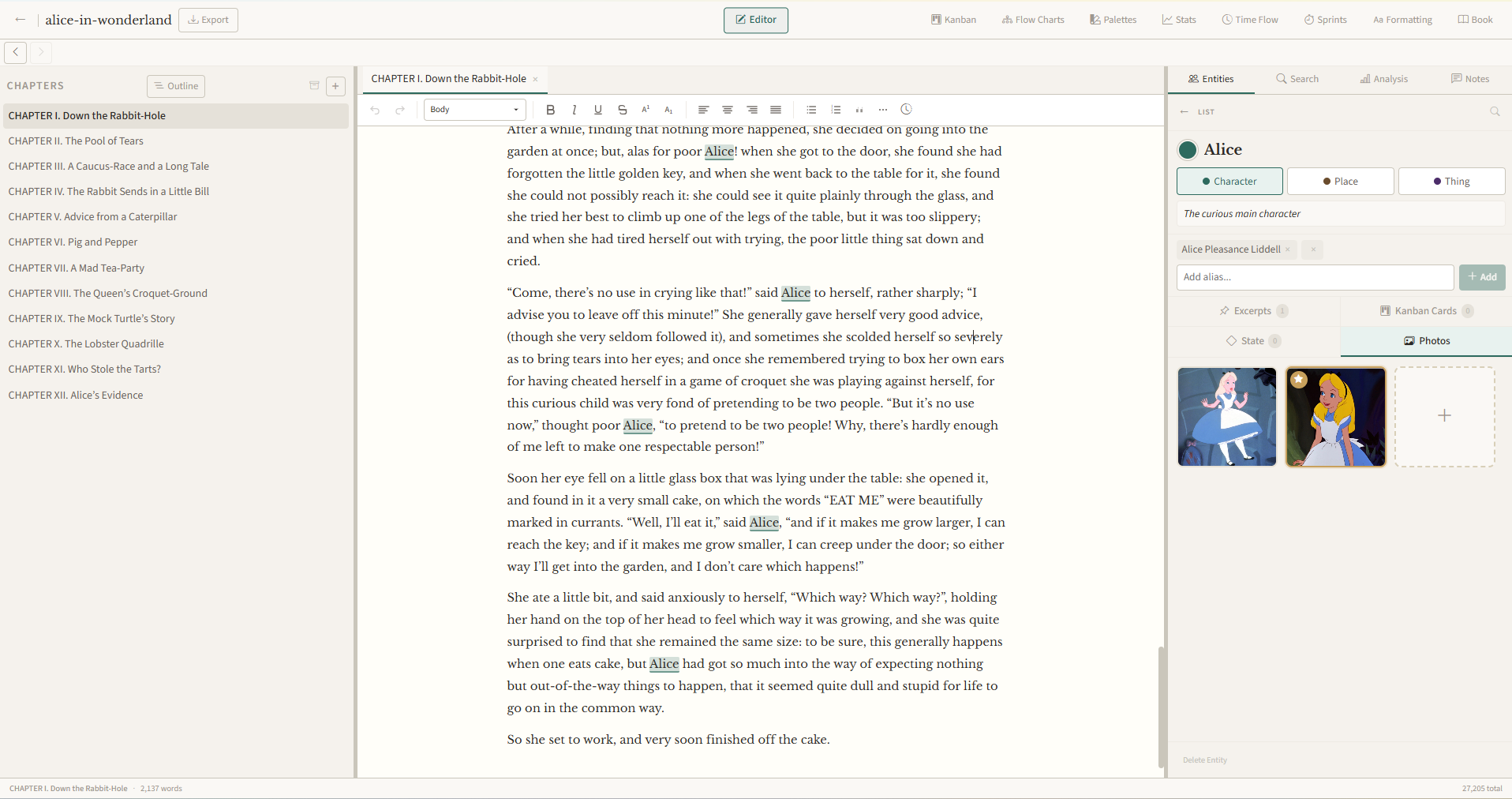
NovelNix is the desktop studio you wish your current writing software had grown into. Built-in Kanban system, flowcharts and family trees. Characters you can keep straight with dynamic state setting in your editor. 11 analysis tools. Full PDF typesetting on the actual final doc rather than an approximate simulation. Export EPUB and print-ready PDF without any extra software.
Characters, places, and things. Not just text.
Word treats your novel as one long string of letters. NovelNix sees a cast. Name a character, a place, or a thing once. Every mention is highlighted in its own colour from then on, skipped by spell check, and one right-click from every chapter it shows up in. Pin a note to a specific line and it stays anchored as you edit around it. Drop a ◆ checkpoint to mark what’s true about a character at that point in the story. The editor holds your people, your places, and your things. You don’t have to.
- Aliases work. “Mags,” “Mrs. Whitford,” and “Margaret” all resolve to the same character
- Right-click any name to jump between every chapter it appears in
- Drop a ◆ checkpoint to mark what’s true about a character at any point in the story
- Typewriter mode, smart quotes, drag-to-reorder chapters, and a 30,000-entry thesaurus re-ranked for context
Get a feel for how the entity system ties into your document. Try clicking the names and the ◆ state marker.
slipped the into her pocket , swept the room with a final glance, and stole into the dark. , silent, fell into her wake.
Ninety-six palettes. Yours to extend.
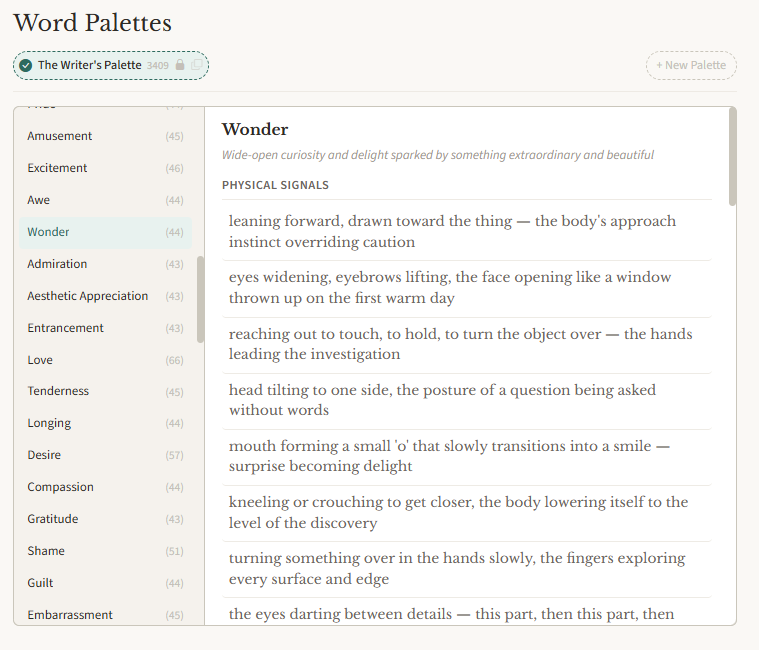
When a character’s afraid, you reach for “afraid.” When they’re really afraid, you reach for “terrified.” NovelNix ships with ninety-six word palettes — emotions, the senses, weather, movement, dialogue, the working vocabulary of fiction. Extend any of them with phrasing you’ve earned, or build your own from scratch: a bespoke voice library tuned to the way you actually sound on the page. The scaffolding you wish you’d had at three in the morning.
The plot wall lives next to the page.
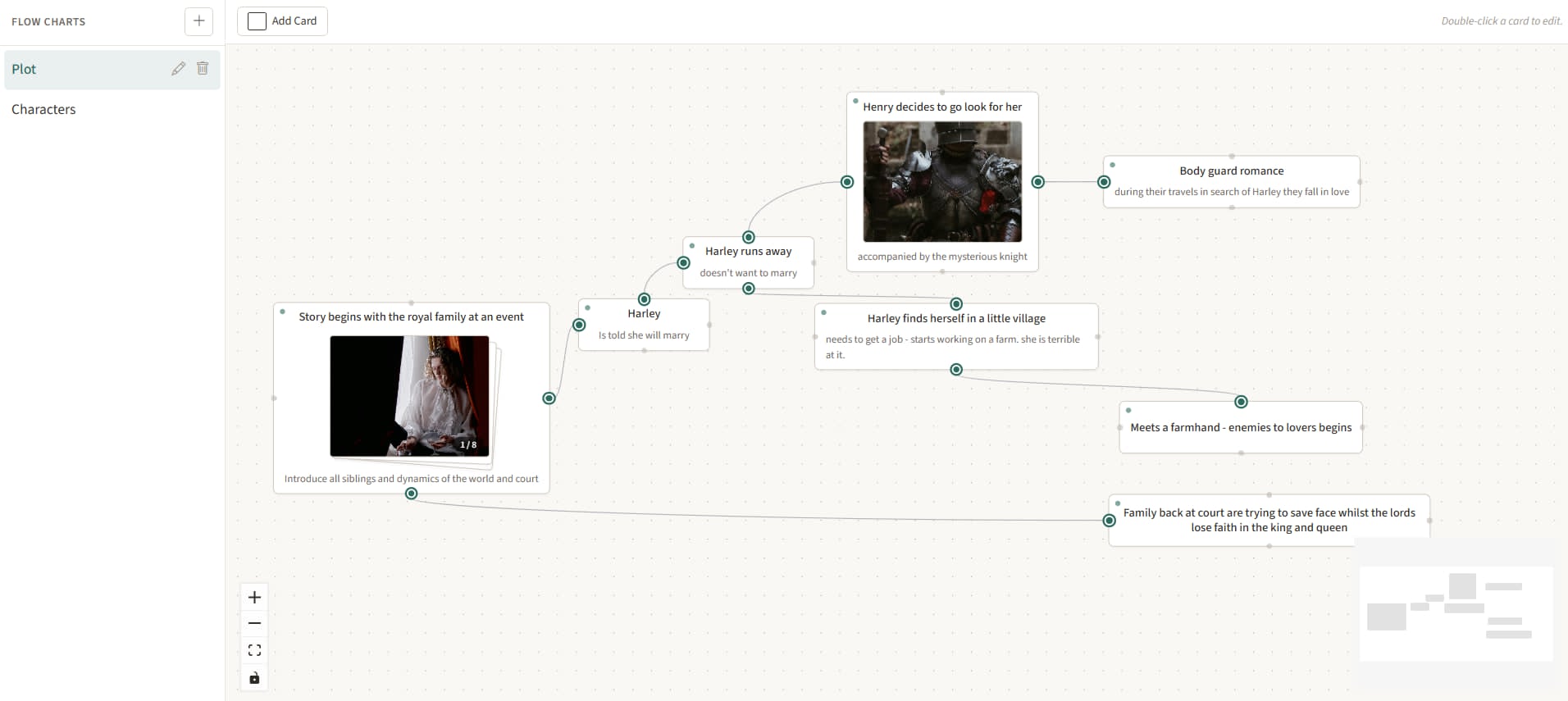
Most writers keep two windows open: one for the story, one for the diagram of the story. NovelNix puts the diagram one tab away — and lets you keep as many of them as the book asks for. One for the plot. One for a subplot. One for the chapter you’re sure won’t survive.
- Photos and photo galleries on every card — a character portrait on the plot beat, a stack of mood shots on the location, a whole reference deck on the setting
- Curved connectors with optional arrows and inline labels — drag any midpoint to bend the line, drag again to shape the curve
- As many boards per project as the book asks for — one for the main plot, one for a subplot, one for the chapter you’re sure won’t survive
- Lives in the same window as the prose. No second app, no syncing, no “I drew it somewhere last week”
Who belongs to whom.
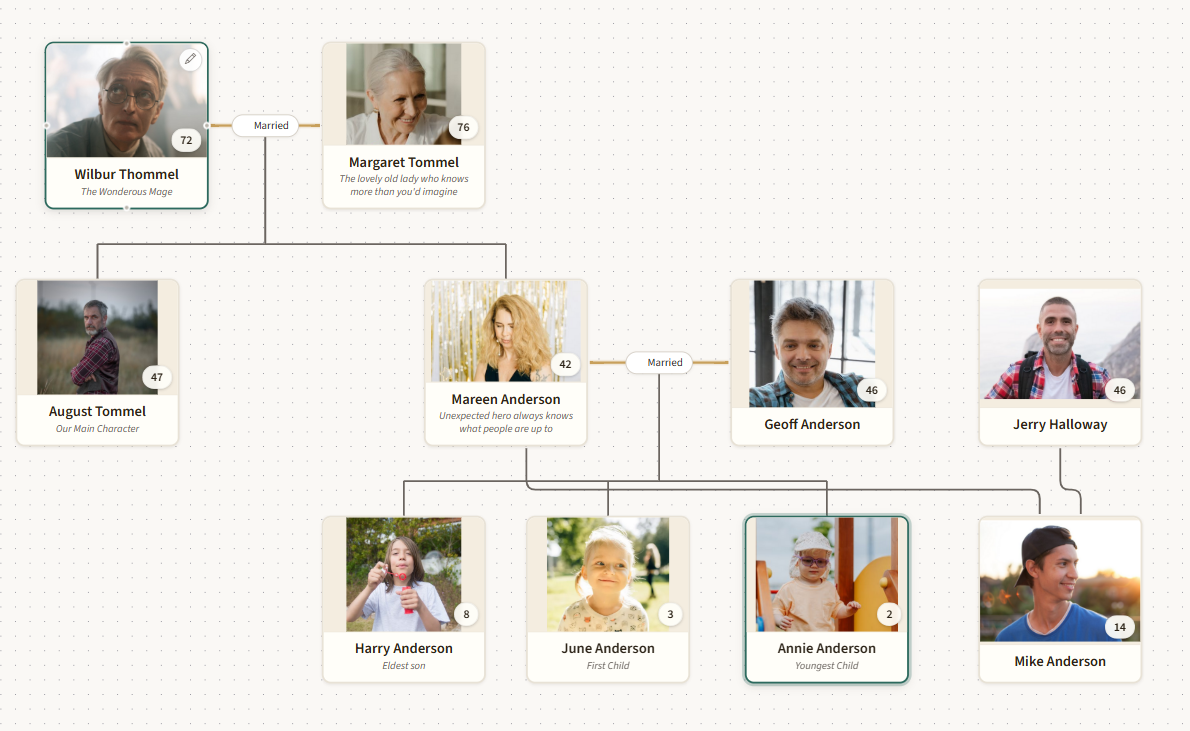
Mark a character as someone’s parent or someone’s spouse. NovelNix draws the tree. Three generations in, you can still see who’s whose at a glance — and click any node to jump straight to that character’s file. The bigger the cast, the more this matters.
Entity state system.
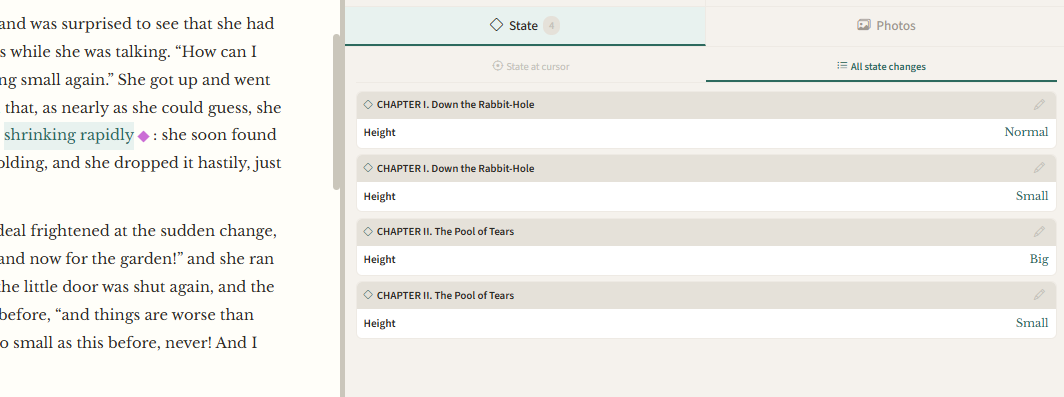
I created a novel way to track the state of your world and characters. Drop a state marker into the
document with a ◆ checkpoint. You can create custom variables attached to that character/place/thing, and assign values to the variable.
Then you can place the cursor anywhere in the document, and see the value of that variable.
So you can easily keep track of where characters are, what their internal emotions are, what things they have in their possesion.
An example of usage might be, place your cursor in a spot in the document, and view the entity card for the city, and it'll list all the characters
currently in that city at this point in the novel.
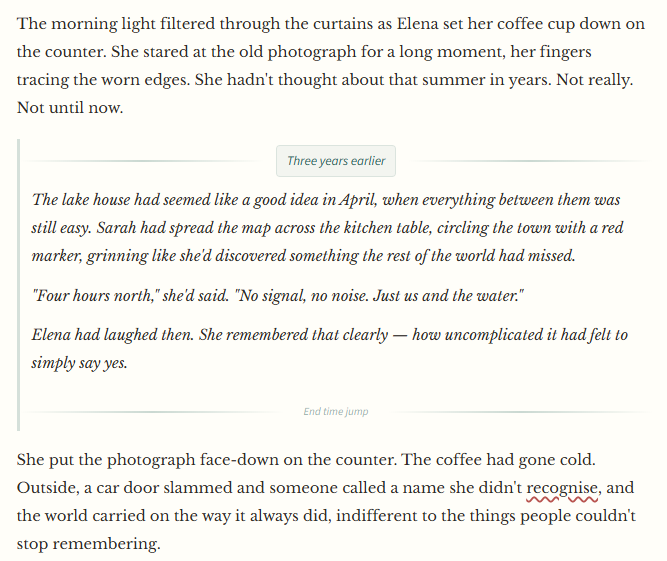
A flashback in Chapter 10 about events before the book, still resolves before Chapter 1.
Drag a flashback section above Chapter 1 in the Time Flow Manager. Every ◆ state marker inside it is now resolved as happening before Chapter 1, even though the flashback appears in the middle of the manuscript. Open the Resolved State view and watch as the cursor moves: at this point, Margaret doesn’t know about the letter yet. At this point, she does. The kind of correctness no word processor could give you.
From plan to page. Without leaving the app.
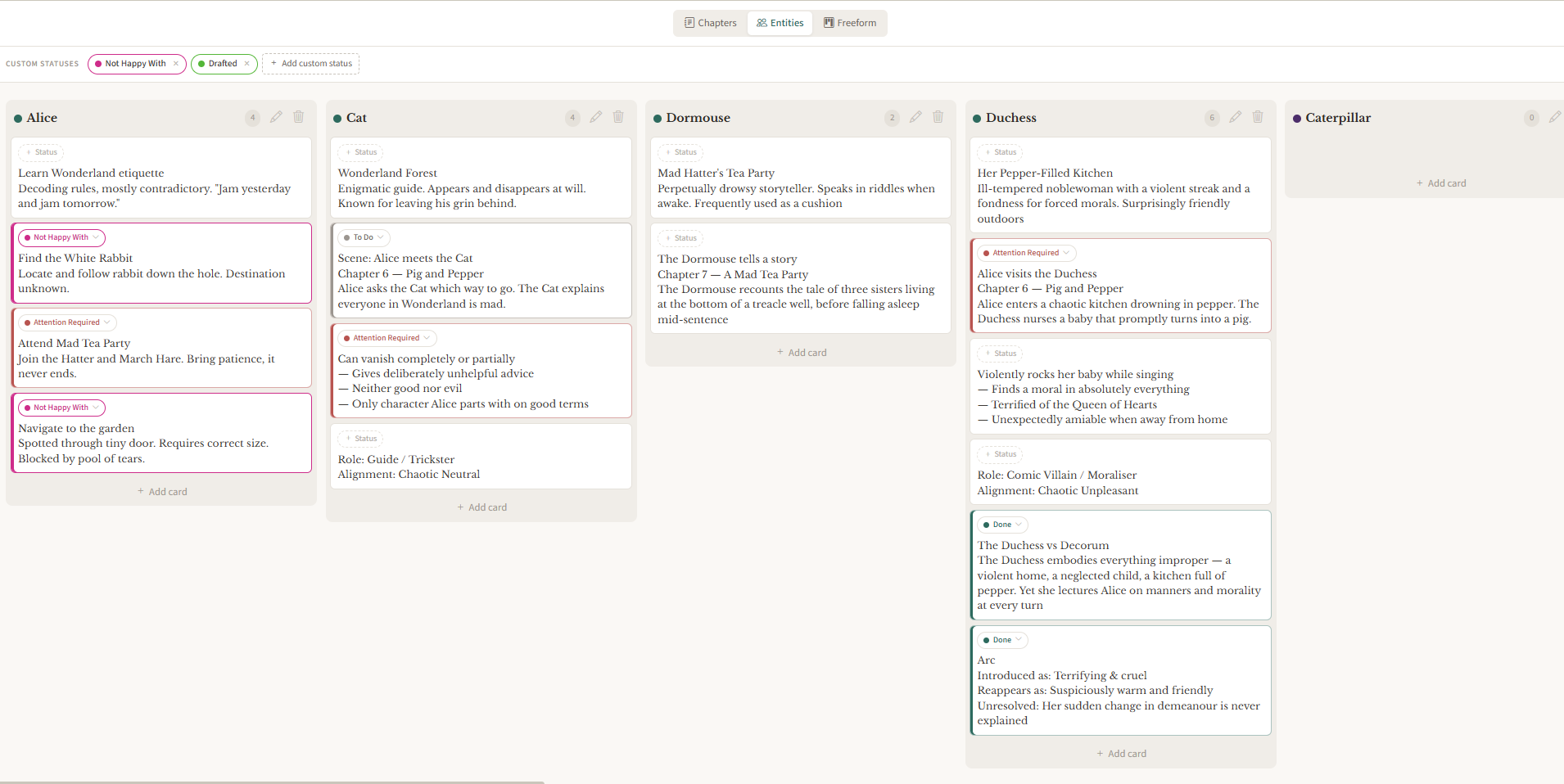
NovelNix has a kanban board with three modes: Chapters, Entities, and Freeform. Plan each chapter’s scenes as cards. Reorder them. Move them between chapters. The planning notes you write here show up next to the editor when you open that chapter, so your outline is always one panel away from the page.
- Kanban in three modes. One column per chapter, one per entity, or fully freeform
- Drag-and-drop cards within and between columns; reorderable columns too
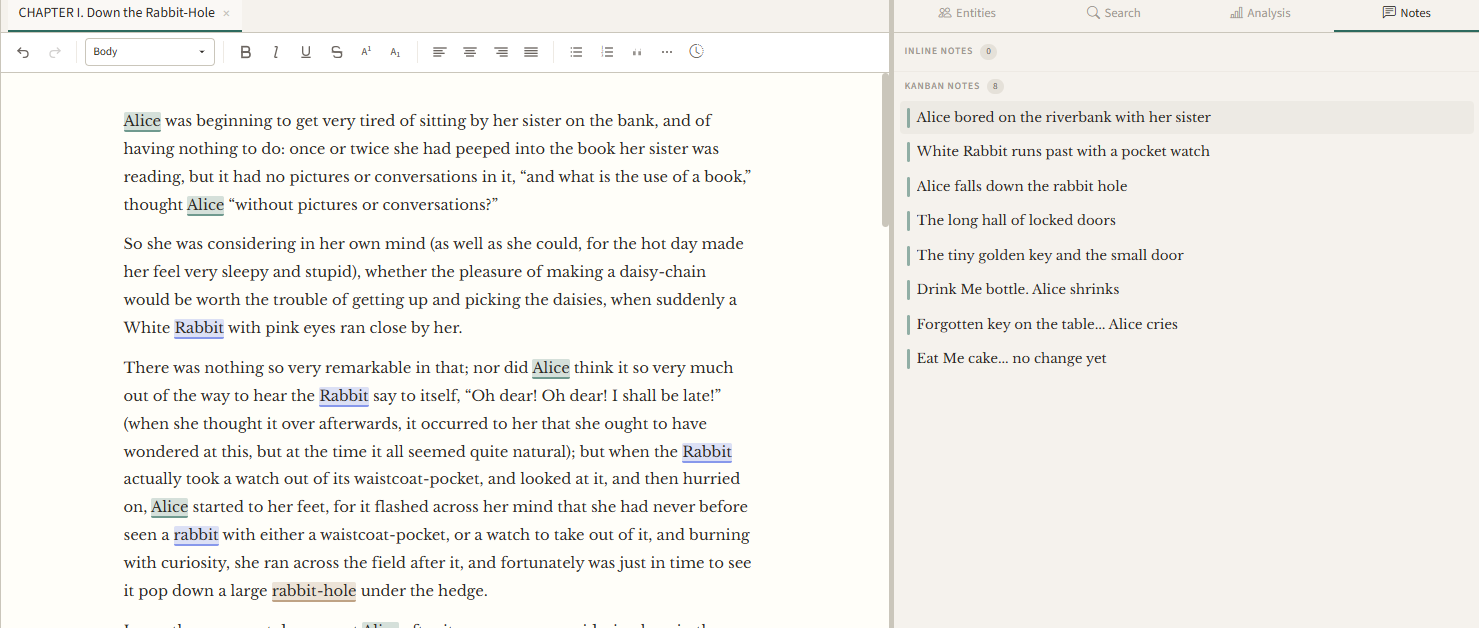
- Chapter planning notes appear in both the Kanban board and the editor’s notes panel
- Add, edit, or delete cards with a quick modal: title, description, drag-handle, done
Open a chapter. Your plan opens with it.
Most kanban tools sit in a separate app. NovelNix’s kanban lives inside the writing app. Every card you write as a chapter planning note shows up in the editor’s notes panel when you open that chapter. Plan Chapter 5 on Tuesday. Write Chapter 5 on Wednesday. The plan is right there beside the page. Context never gets lost between apps.
Tools to aid critical analysis of your writing.
NovelNix gives you eleven analysis tools in four groups: repetition, style, overview, and comparison. Find the word you used too often. Spot the paragraph that drones. See which chapters mention which characters. Overlay your pacing against famous novels. Every tool runs locally, on saved state, with results you can click to jump straight to the passage to make edits.
Repetition
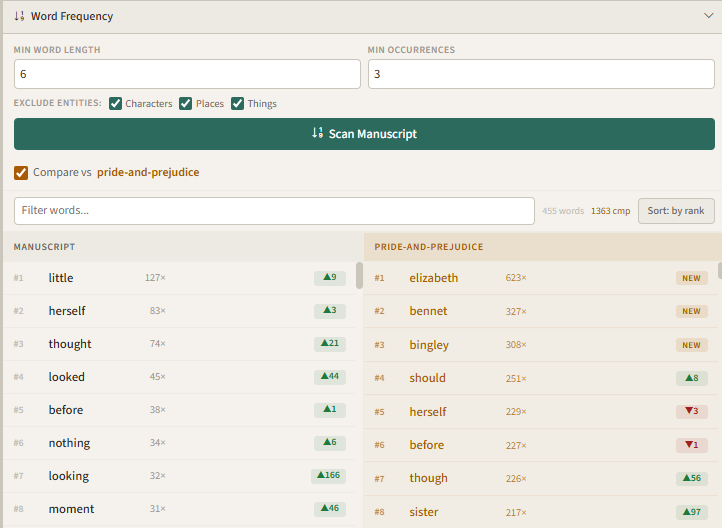
- Word Frequency. Ranked list with per-chapter breakdown. Exclude entity names so your protagonist isn't rank #1. Compare against a famous book to see how your works ranks word usage.
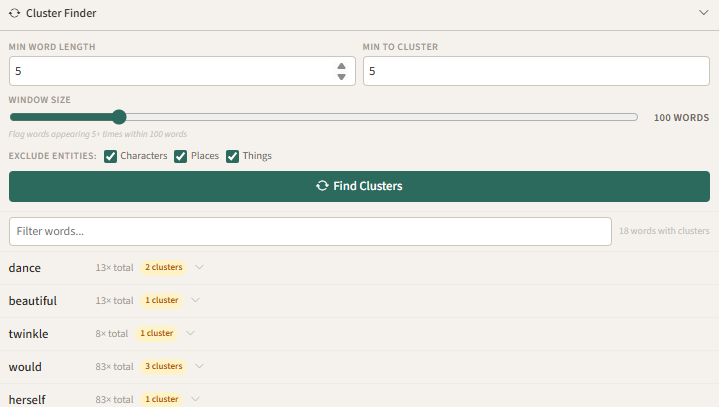
- Cluster Finder. Catches words that repeat within a sliding window. Used the same word 5 times in 200 words, it'll flag that.
- Similar Phrasing. Groups near-duplicate sentences with a similarity badge. Red for 90%+ near-identical, orange for 80%, amber for 70%.
Style
- Adverb Density. Scans your dialogue tags for adverbs. Highlights the ones that repeat what the verb already means, like whispered quietly or shouted loudly.
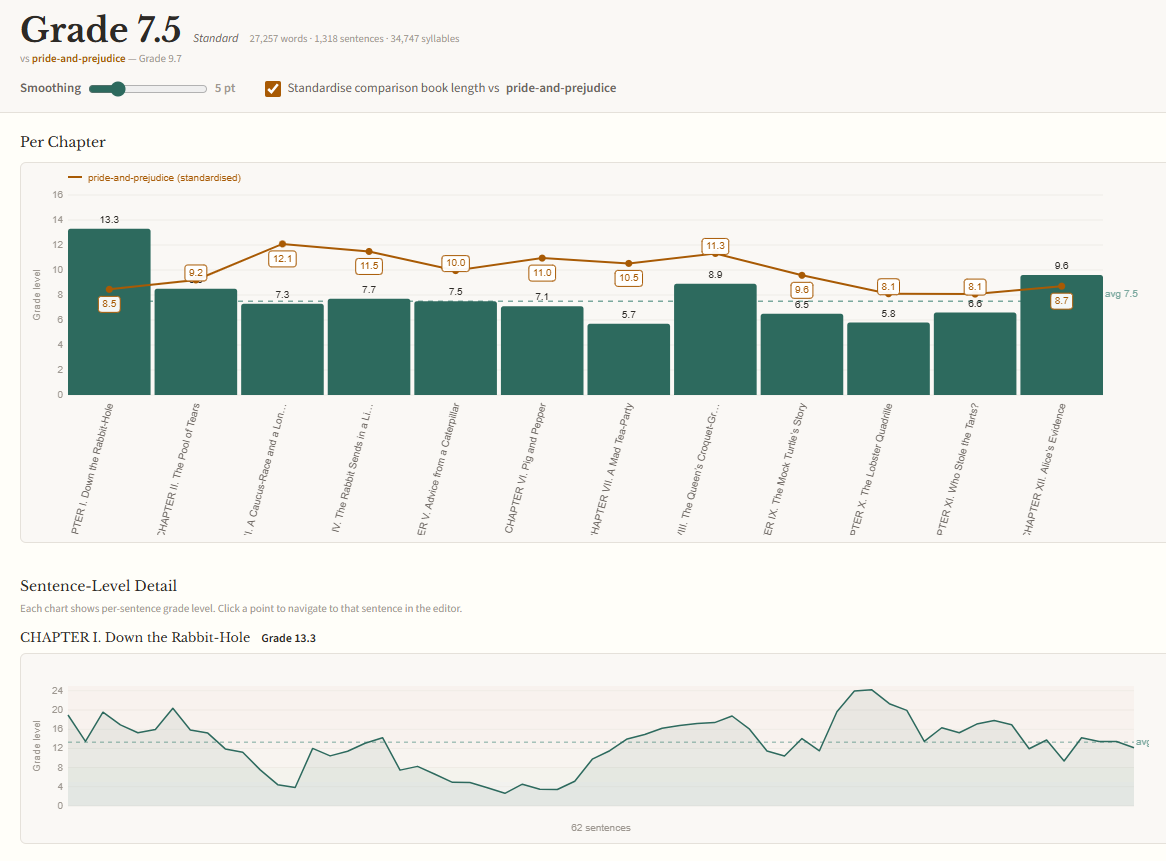
- Readability. Flesch-Kincaid grade level per chapter and manuscript-wide.
- Paragraph Length. Column chart of word counts. Flags monotonous runs: three or more consecutive paragraphs within 15% of each other.
Overview
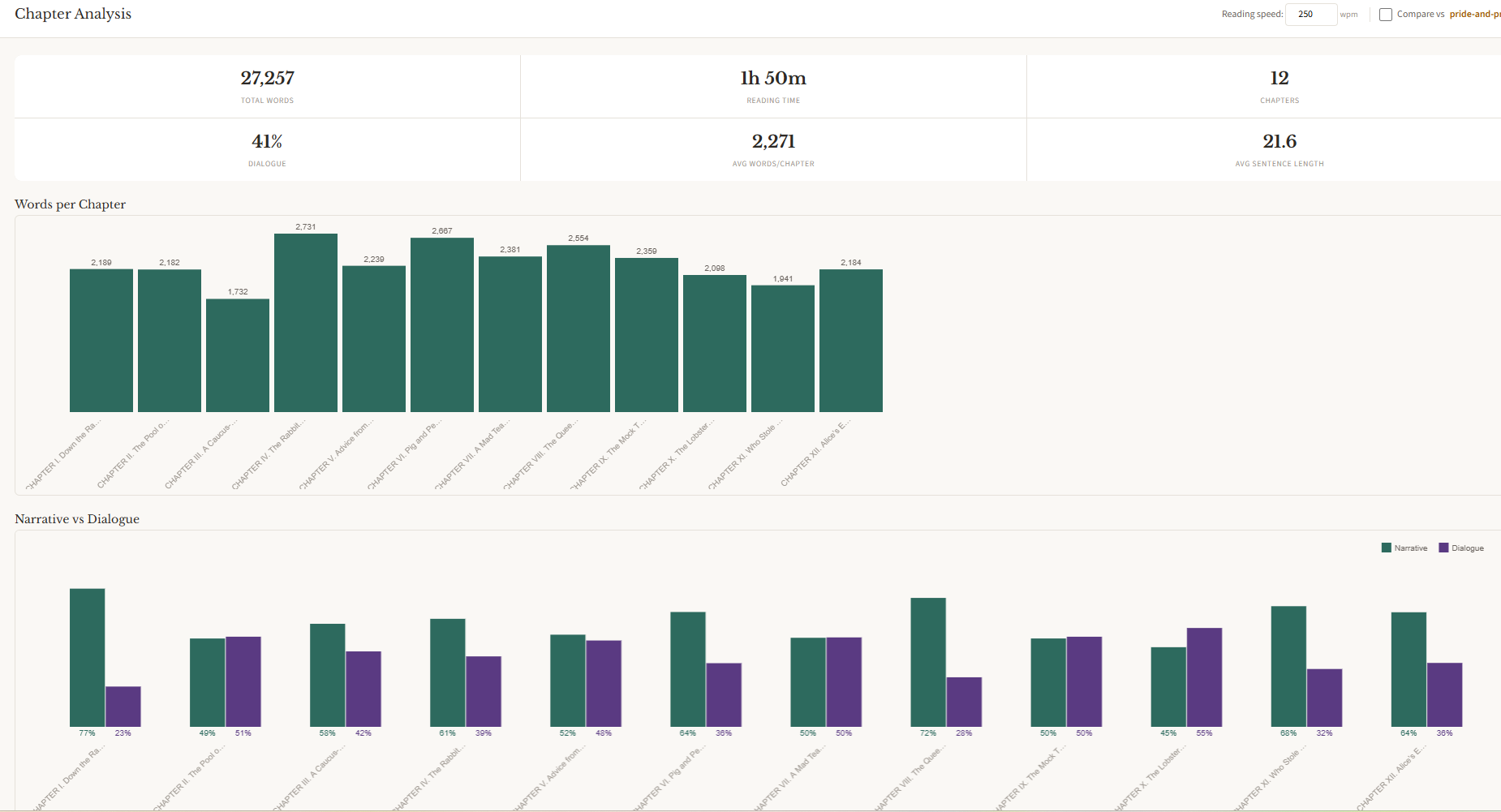
- Chapter Analysis. Full-screen dashboard: word counts, dialogue vs narrative split, sentence length distribution, vocabulary density. Twelve-column breakdown table.
- Entity Heatmap. A chapter-by-entity grid shaded by mention count, plus a sentence-level timeline across the whole manuscript.
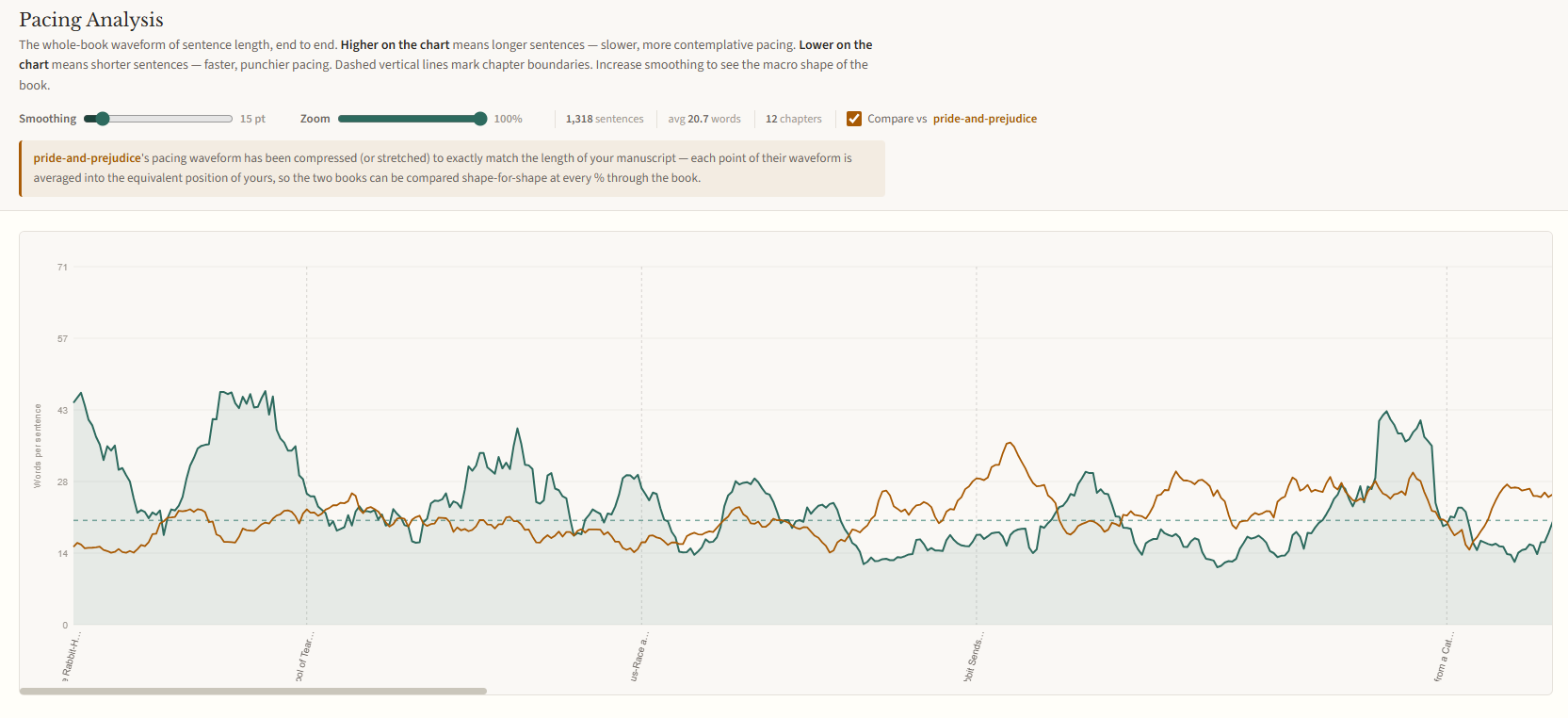
- Pacing Analysis. Sentence-length waveform from first page to last. See where the writing builds tension, slows down, or flatlines.
Comparison
- Comparative Works. Pick a famous book from the built-in library. Word Frequency and Adverb Density automatically overlay the comparison. See how your prose stacks up against Austen, Shelley, or Brontë without leaving the app.
How does your prose compare to Pride and Prejudice?
NovelNix ships with a library of public-domain book benchmarks. Word frequencies, adverb rates, dialogue percentages, sentence pacing. Pick a book and the comparison appears automatically inside Word Frequency and Adverb Density as a side-by-side overlay. Rank deltas show which words you lean on more, which less. Austen for pacing. Shelley for sentence length. Brontë for dialogue density.
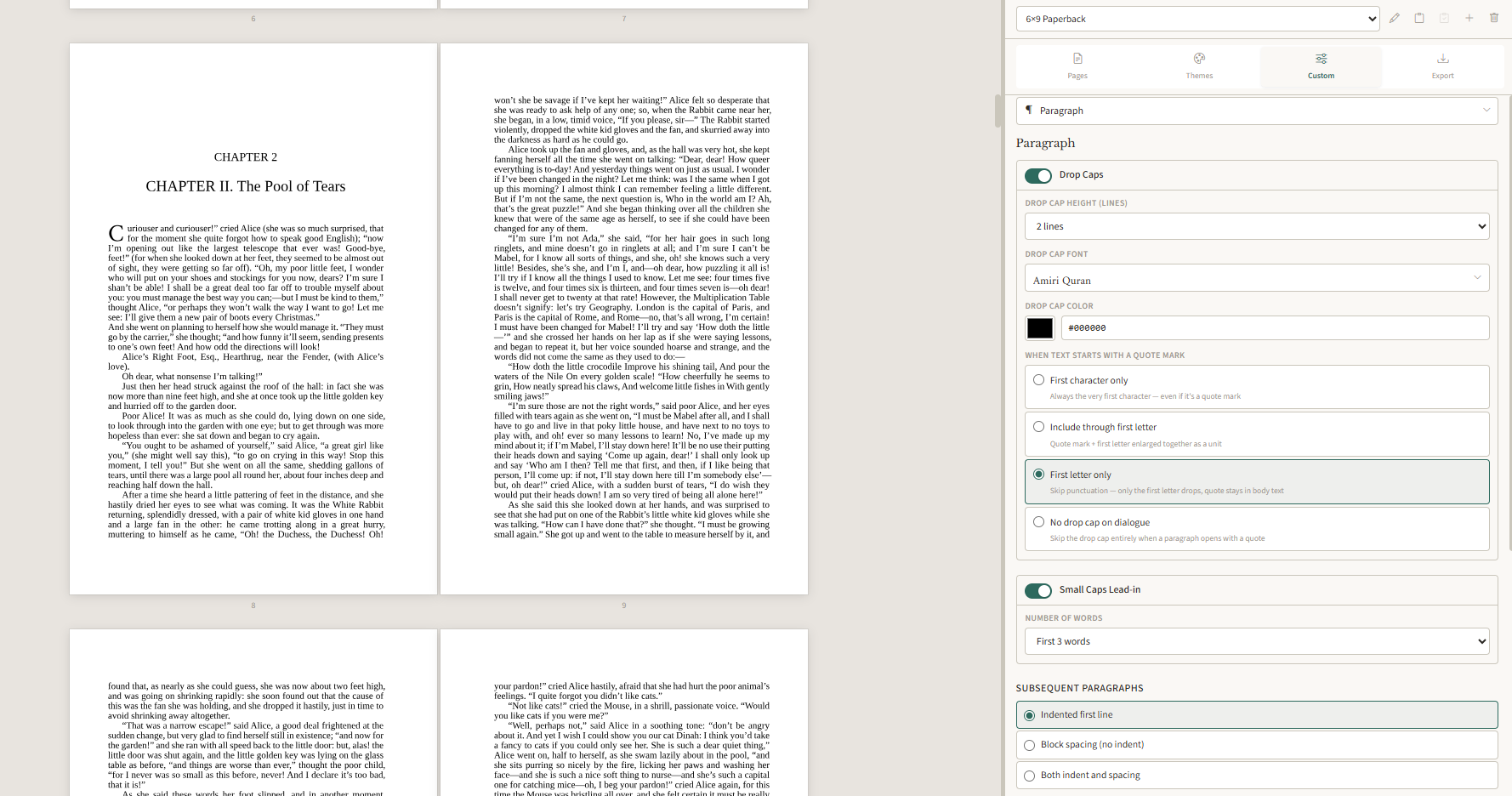
Set the type. Pick the trim. Print the book.
Most writing apps stop at the manuscript. NovelNix carries yours through to a typeset PDF and a validated EPUB. One project can have as many format profiles as you need: trade paperback, Kindle edition, large print, ARC for beta readers. Each one configured independently, each one previewed live.
Print Layout
- Trim sizes. Searchable catalog grouped by category: Trade, Mass Market, A-series, custom dimensions. Shows inches and mm.
- Margins and bleed. Top, bottom, inside, outside. Bleed toggle with visual trim guides in the preview. Reset-to-recommended button.
- Headers and footers. 12 clickable slots: left, centre, right for verso header, verso footer, recto header, recto footer. Each slot takes page number, book title, chapter title, author name, or custom text.
- Typesetting. Widow and orphan prevention, hyphenation control, max consecutive hyphens, minimum last-line characters.
Ebook
- EPUB 3.0 export. Built-in validator catches malformed XHTML and dangling references before you upload anywhere.
- Device preview. Pick a device (Kindle Paperwhite, iPad, Kobo Libra, iPhone, Android) and preview inside its bezel. Same rendering pipeline as export.
- Image compression. Four presets from lossless to compact. Size estimator shows a breakdown before you export: cover, inline images, text, overhead.
- Semantic tags. 17 tags for front and back matter: Half Title, Copyright, Dedication, Foreword, Epilogue, Acknowledgments, and more.
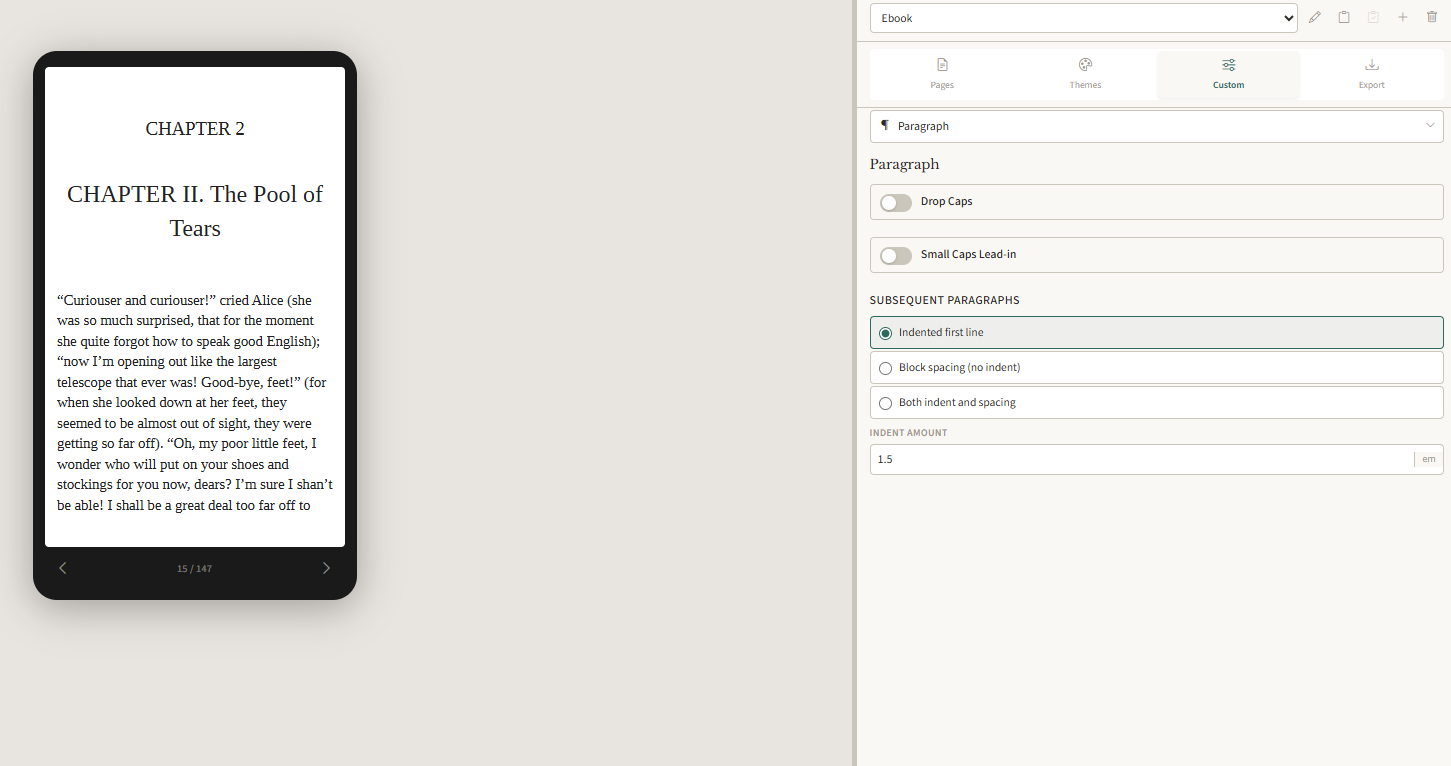
The preview is the export.
Most apps show an approximation. NovelNix renders the real file. The print preview is a compiled SVG of the final file, the same engine that builds your PDF. All happening instantly. The ebook preview is epub.js literally just compiling the actual epub and giving you an ereader in NovelNix. Change a margin, a drop cap, a header slot, and see the result on the page in front of you. What you see is what you ship.